
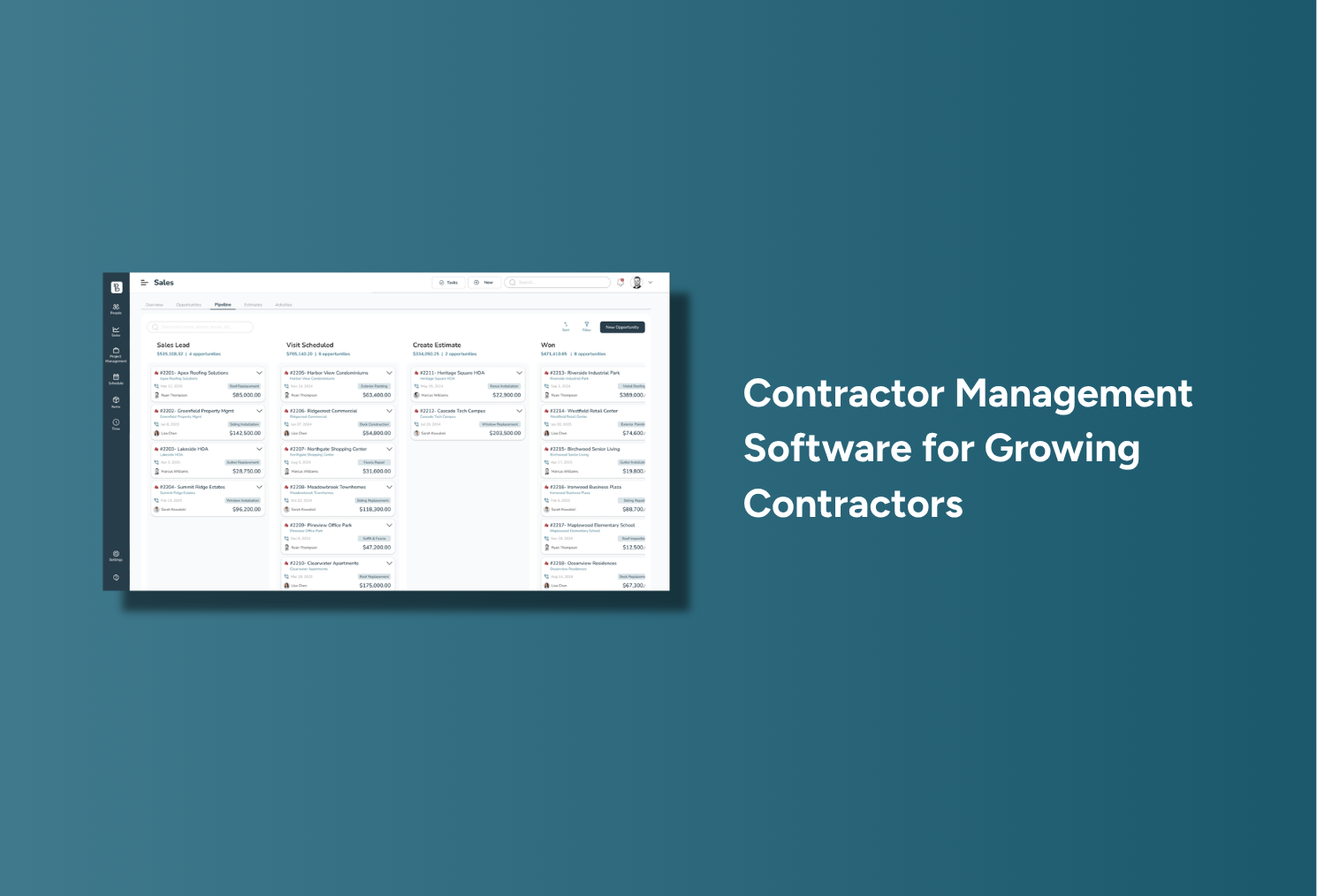
Running a contracting business involves more than completing quality work. Every project moves through estimating, proposal approval, scheduling, field execution, job costing, invoicing, payment and when those stages live in separate systems, simple tasks get harder. Customer details sit in an inbox, pricing lives in a spreadsheet, schedules are on a whiteboard, and job updates scatter across text messages.
That can work for a small business, but as customers, crews, and active projects grow, disconnected systems create more delays, missed details, and duplicate work.
Contractor management software brings these processes into one system, giving owners, office staff, project managers, salespeople, and field teams a clearer view of each project from first inquiry through final payment.
For exterior and specialty contractors, Precise Builder is built around a complete workflow of connecting estimating, sales, customer management, scheduling, field execution, job costing, and financial visibility so contractors can grow without added operational chaos.
Contractor management software is a platform used to manage the daily operations of a contracting company. Depending on the system, it may include tools for:
The purpose is not simply to put existing paperwork on a screen. Good contractor management software connects the information used by different parts of the business.
For example, a customer record created when a lead calls should remain connected to the estimate, proposal, approved project, schedule, job notes, costs, invoice, and payment history. Employees should not have to re-enter the same information every time the project moves to another stage.
That connection creates a reliable source of information for the entire team.
Most contractors don't start with a complete software platform. They build a practical system from whatever tools are on hand. A spreadsheet tracks leads and estimates, a calendar holds appointments, accounting software handles invoices, and paper folders, emails, and texts hold the rest.
That can work for a small workload, but problems usually surface as the company adds more jobs and more people.
Common warning signs include:
These problems are not always caused by careless employees. They often happen because the system depends on manual handoffs.
Contractor management software creates a more consistent process. Information can move with the project instead of being copied, retyped, or explained again at every stage.
The best platform is not necessarily the one with the longest feature list. It is the one that supports the contractor’s actual workflow and makes daily work easier for the team.
The following capabilities are especially important for growing contractors.
A contractor CRM should do more than store names and phone numbers. It should give a clear history of the relationship, including customer details, conversations, opportunities, estimates, proposals, jobs, and prior activity.
This helps employees respond with the right context: a salesperson can review an earlier conversation before following up, office staff can answer questions without searching multiple programs, and project managers can see the information tied to approved work.
Precise Builder keeps leads, customers, estimates, proposals, and projects within connected customer profiles, giving the team one place to review current and past activity.
Estimating is one of the most important parts of a contractor's workflow. A missed material, incorrect labor assumption, or inconsistent markup can affect the profitability of the entire job.
Contractor estimating software should help users build quotes faster while keeping pricing consistent, and should show the financial effect of the estimate before the proposal reaches the customer.
Precise Builder uses Smart Kits: reusable groups of materials, labor, equipment, pricing logic, and common scope components. Contractors can build kits around repeatable services or project types rather than recreating each estimate line by line.
For example, a roofing, siding, deck, shed repair, or post-frame contractor could create kits based on common measurements and project configurations, then adjust quantities, pricing, or margins for the specific job.
Smart Kits can help contractors:
Precise Builder also displays cost, gross profit, and margin while the estimate is being created. This helps the estimator evaluate the project before the price is presented to the customer.
Once the estimate is ready, the information can move into a professional proposal. The platform supports electronic signatures, multiple proposal options, and customer approval without requiring the team to rebuild the scope in another application.
A contractor needs to know more than how many leads are in the system. The team should be able to see which opportunities are new, which estimates are in progress, which proposals need follow-up, and which jobs have been approved.
A visual sales pipeline makes this easier to understand.
Precise Builder allows contractors to configure pipeline stages around their sales process. Those stages may include:
Opportunities can move from one stage to another as the sale progresses. This gives owners and sales employees a quick view of current activity and makes stalled opportunities easier to identify.
The system also shows which estimates are waiting for a decision and how long they have been pending. That helps the team prioritize follow-up rather than relying on memory or a separate calendar.
Contractor scheduling is rarely as simple as choosing a date. Managers must weigh crew availability, current workload, project requirements, weather, materials, and customer expectations.
A shared calendar may show when a project is planned, but not whether the job is ready or what the crew needs to know.
Precise Builder connects scheduling with the production pipeline and project record, so teams can review upcoming work, active projects, completed jobs, and projects needing attention.
Because the schedule stays tied to the customer and job information, office staff and managers can plan with greater context, resulting in reduced double bookings, missed handoffs, and last-minute calls for information.
Field crews need current information to do the work correctly. The approved scope, measurements, customer notes, project documents, schedule details, and other job-specific information.
When those details are spread across text messages, paper folders, and employee phones, the crew may see only part of the picture.
A centralized project record gives the office and field a shared reference point, so updates stay tied to the job instead of disappearing inside individual conversations.
Precise Builder carries the information created during sales and estimating straight into production. Customer details, scope, pricing, notes, and estimate information stay connected as the job moves forward.
A contractor can be busy and still lose money. Revenue shows how much the customer paid, but not whether labor, materials, equipment, and other costs matched the estimate.
Job costing helps contractors compare what they expected to spend with what actually happened.
Precise Builder provides cost, gross-profit, and margin visibility during estimating, and supports comparing estimated and actual project performance as costs are recorded.
This information can help owners answer practical questions:
The purpose is not only to review past projects. Better cost information can improve future estimates and pricing decisions.
The invoicing process should remain connected to the approved customer and project information. Rebuilding the invoice in another system adds work and creates another opportunity for mistakes.
Precise Builder includes invoicing and connected financial workflows. The product materials also identify QuickBooks synchronization as part of the broader platform.
Keeping the financial stage connected to the job gives the team a more complete view of the project, from the original estimate through production and final billing.
Many platforms offer estimating, CRM, scheduling, or invoicing. The real question is whether those features work together.
Consider a typical sales-to-production handoff: an estimator calculates pricing in a spreadsheet, prepares a proposal in a document program, emails the final version to the office, and explains the job to a project manager by phone.
Each handoff is a chance for something to be missed. Production may not receive a later proposal revision, a customer note may stay in the salesperson's inbox, and the crew may start with an outdated scope.
A connected system closes those gaps. With Precise Builder, the customer enters the system, the opportunity moves through the sales pipeline, the estimate becomes a proposal, and approved work continues into production with scheduling, project information, costs, invoices, and financial activity all tied to the same job.
This is the platform's main strategic difference. Precise Builder isn't a single-purpose estimating tool or a basic CRM. It's built to support the contractor's complete operational lifecycle.
Precise Builder’s workflow can be summarized as follows:
The value comes from keeping these stages connected. Employees don't need to rebuild the project each time responsibility moves between departments.
This is especially helpful for growing companies where the owner has traditionally carried pricing, scheduling, and project knowledge in their head. A connected platform makes those processes easier to document, share, and delegate.
Precise Builder also emphasizes personal onboarding and support. According to the company brief, its team works to understand the contractor's business and configure the platform around actual workflows. An approach that may appeal to contractors who want guidance during implementation rather than feeling like another account inside a large enterprise system.
Precise Builder is primarily designed for small and growing exterior and specialty contractors. The company’s ideal customer generally has:
Relevant trades include:
The company brief also notes that actual customers extend into general contracting, interior finishing, landscaping, barn construction, shed repair, and other specialty work. However, Precise Builder’s clearest market position remains exterior and specialty contracting.
Before comparing platforms, map the way work currently moves through your business. Start with the first customer inquiry and follow the process through estimating, approval, scheduling, production, job costing, invoicing, and payment.
Look for the places where information is copied manually or depends on one person. Those are often the points causing the most delays and risk.
When evaluating contractor management software, ask:
The right software should make responsibilities clearer and information easier to find. It should reduce dependence on memory, not create another complicated system that only one employee understands.
Contractor management software is a platform used to manage leads, customers, estimates, proposals, schedules, jobs, costs, invoices, payments, and business performance. It helps contractors keep these operational stages connected.
A CRM focuses mainly on leads, customers, communication, and sales activity. Contractor management software may include CRM tools but also supports estimating, scheduling, production, job costing, invoicing, and other project operations.
A contractor should consider a centralized system when employees repeatedly enter the same information, struggle to find current job details, miss sales follow-up, or rely heavily on the owner’s memory to keep work moving.
Yes. Small contractors can use management software to build consistent processes before adding more employees, crews, and projects. The platform should match the size and complexity of the business.
It can standardize common materials, labor, equipment, measurements, scope, and pricing rules. This helps contractors build estimates more consistently and reduces the risk of leaving out common items.
Smart Kits are reusable groups of materials, labor, equipment, pricing logic, and common scope components. Contractors can use them to create repeatable estimates while adjusting quantities, pricing, and margin for a specific project.
Job costing compares estimated performance with actual labor, material, equipment, and project costs. This helps contractors understand margins and improve future pricing decisions.
Precise Builder connects estimating, sales, customer management, scheduling, field execution, job costing, invoicing, and financial visibility in one workflow. It is designed primarily for small and growing exterior and specialty contractors.
Yes. The supplied company brief identifies invoicing as part of the broader Precise Builder workflow. It also lists QuickBooks synchronization among the platform’s capabilities.
The clearest fit includes roofing, siding, gutter, window and door, deck, fencing, masonry, post-frame, shed, framing, and other specialty or project-based contracting companies.
Growing contractors need a system that keeps customer information, estimates, schedules, job details, costs, and financial activity connected. Not another isolated application.
Contractor management software provides that structure, helping teams find current information, reduce manual handoffs, create repeatable processes, and understand how projects are performing.
Precise Builder helps exterior and specialty contractors manage the complete workflow, from lead and estimate through scheduling, field execution, job costing, invoicing, and final payment. A stronger foundation for contractors ready to move past spreadsheets, paper files, and disconnected tools.
With the Precise Builder software, you can finally run your construction company well and with accuracy. Via one single platform, you’ll have access to all your processes and important information, making it easier than ever to:

Run your company using one central software

Stop stressing over seemingly endless office work

Better estimate how much each job will cost

Grow your sales and have fun doing it!

Explore Precise Builder on your own time? Access our free live demo today and discover the benefits.
Schedule a time with one of our experts to talk through exactly how Precise Builder fits your company.
We will explore your exact needs and areas of weakness, then show you the features that will work best.
Schedule Now"With Precise Builder, everything lives within the software and I can access it anywhere ... to sum it up, it has saved our company an incredible amount of time, which is a huge return on our investment"
-Kevin, TriState Buildings
%201.webp)

